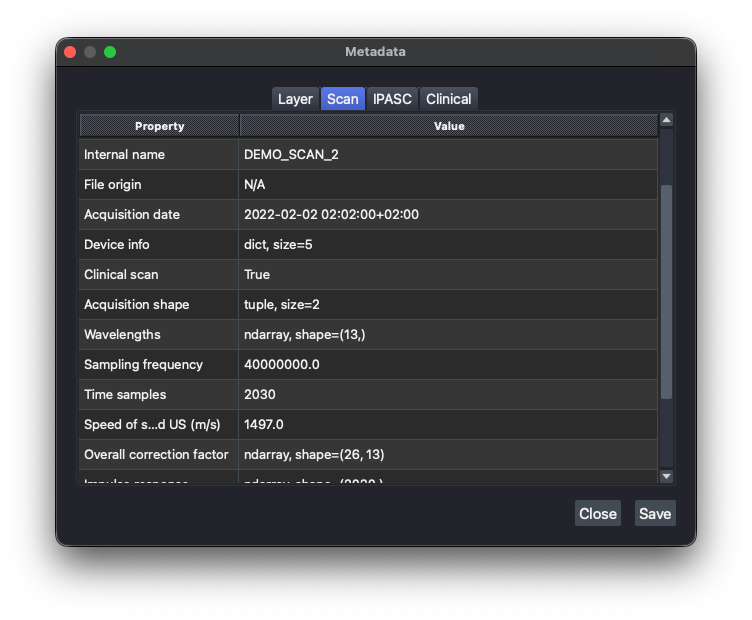
Metadata
Click the metadata button in the Info dock to open the metadata viewer for the current scan/layer, organized into four tabs:
| Tab | Contents |
|---|---|
| Layer | Properties of the currently selected image layer (shape, scale, colormap, contrast limits, ...). |
| Scan | Acquisition settings, timestamps, and other fields carried over from the source file. |
| IPASC | Scan metadata mapped to the IPASC standard's field names and units. |
| Clinical | Clinical metadata (patient ID, notes, or any other free-form field), if the scan has any. |
Double-clicking a cell in the Layer, Scan, or IPASC tabs shows its full content. The Clinical tab is editable: use Add Row/Remove Row and click Save to update it. Saved clinical metadata carries over the next time you export the scan to HDF5 (see Exporting Data).